How to Set Current date on Report Scheduler
Product Version:
iVend 6.6
Problem Statement:
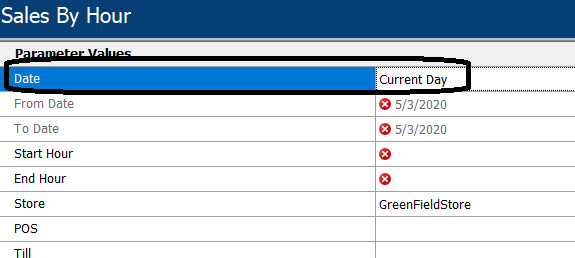
On Schedule manager customer was not able to set current date on Report Parameter
Proposed Solution:
This can be achieved by setting one extra parameter on Report so that report can pick a date based on that parameter.
Steps if any:
1.Export report through Report Manager
2. Add Below lines of Code in Report XML after heading.

<Parameter name="DateRange" objecttype="30" caption="Date" mandatory="true" />
3.After changes import xml and irt through Report Manager.
4.After that report will show one extra parameter in which you can select Date as Current Day at the time of Scheduling report scheduler.
Constraints / Scenarios:
Not Applicable