How to approve suspended transaction from MC

How to approve suspended transaction from MC

Product version: 

(6.6)


Problem Statement:

How to approve transaction, i.e  'Require Manager Approval' button from Point of Sale


Proposed Solution/Workaround:

Approve the transaction from the POS transaction register.


Steps if any :

STEP 1: Go to Administration-> Human resource-> employee -> and make sure that the user has the “Allow transaction approval” checked.
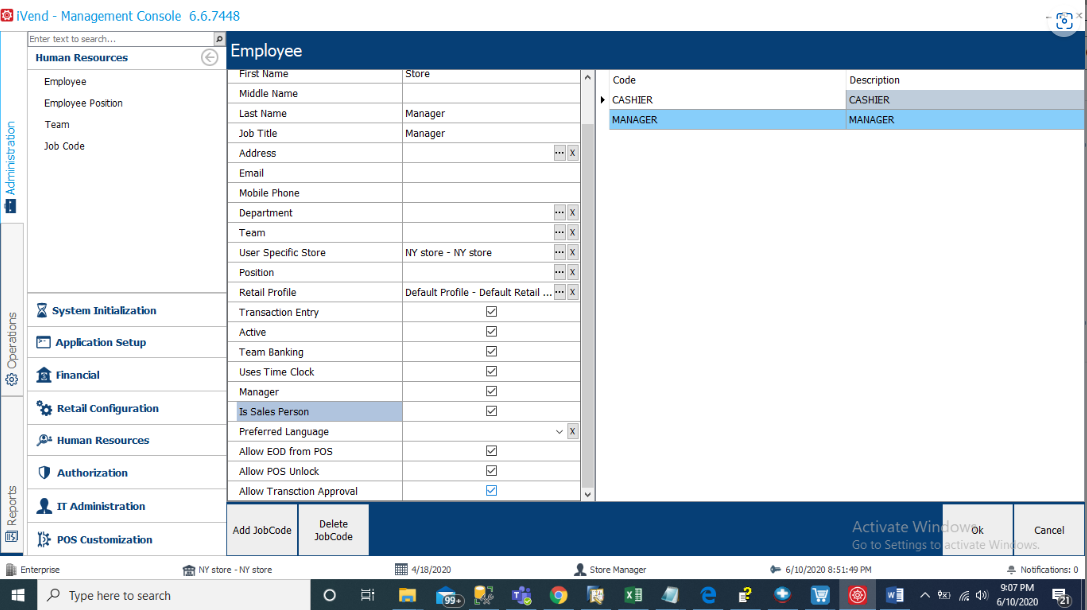


STEP 2: If the “Allow transaction approval” is not checked, check it and restart the MC.


STEP 3: Go to: Operations -> Business transaction-> POS transaction register


STEP 4: Click on: “Is suspended” -> True -> Search
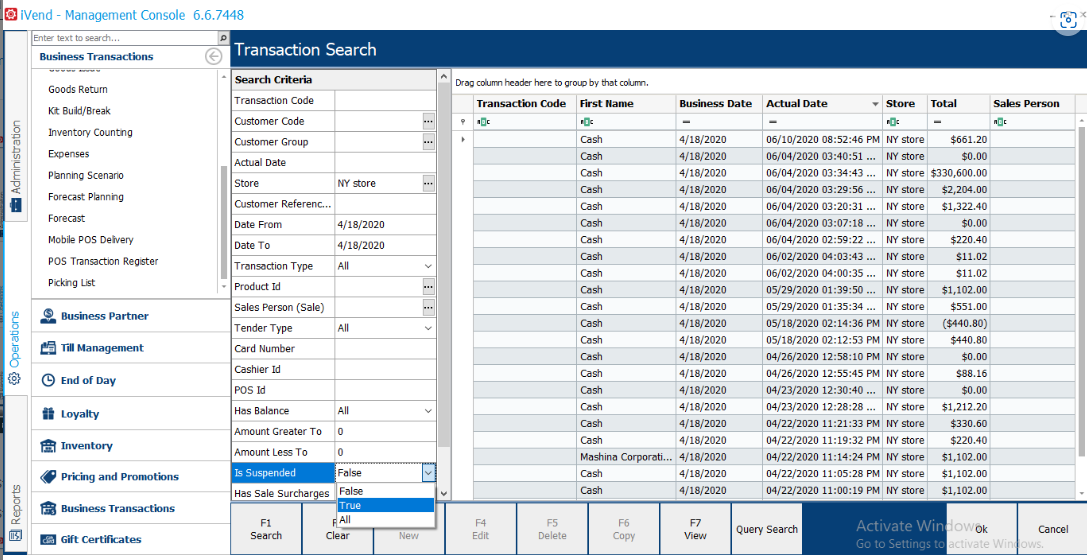
 

Step 5: Double click on the transaction to open it


Step 6: Click on “Approve request”, a pop up box appears, click on “OK”
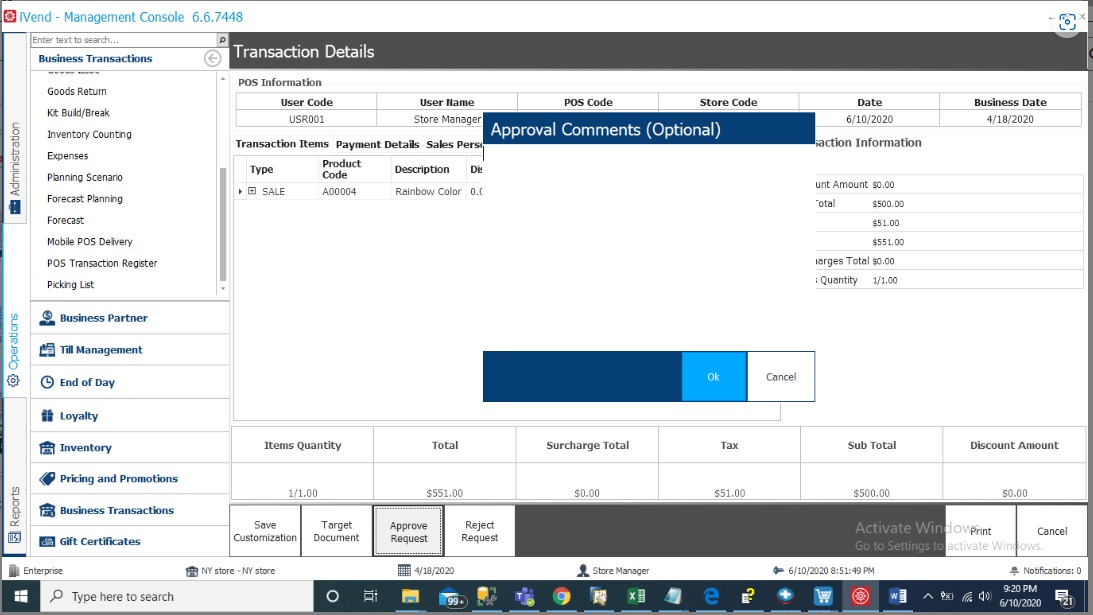


Step 7: Now go to POS and select the transaction from suspended transaction and you should have no difficulty in doing so.


Constraints / Scenarios:

NA


    • Related Articles

    • Display Suspended Transaction on POS

      Environment 6.6 integrated with SAP Problem Statement Is there any way to restrict one POS suspended Transaction will not appear on another POS suspended transaction screen. One Store has two POS with individual tills. One POS suspended Transaction ...
    • Suspended Transaction XML Receipt Format

      Suspended Transaction XML Receipt Format Environment-   iVend 6.6 Problem statement – There is no by default base XML Receipt Format for Suspended Transaction. Resolution/Work Around: As per ivend current System design there is no such by default ...
    • Transaction ID not generating for Suspended Transactions

      Environment: iVend 6.6 Problem Description: The transaction ID was not generated for suspended transactions. Symptoms: None Resolution/Work Around: If the POS is not generating a transaction ID for a suspended transaction. We need to check below ...
    • Suspended transaction is already recalled or is deleted

      Product Query We are getting Below Error when we try to synchronize from mobile pos "Suspended transaction is already recalled or is deleted" Answer The message "Suspended transaction is already recalled or is deleted.", will be returned when the ...
    • POS error Suspended transactions has not recalled. Please void the current transaction

      Error: POS error "Suspended transactions has not recalled. Please void the current transaction" Clicking on the "Void Sale" button, it further gives an error "This transaction consists of payments, so it is not possible to void this transaction." ...