Capture Additional Info on Sale Returns
Environment:
iVend Version 6.6
Problem Statement:
We are not able to insert comment and reason code while making a sale refund or sale item.
Symptoms:
N/A
Resolution/Work Around:
iVend has the functionality to add the additional comment and reason code while performing the sale refund. We need to configure some changes in the retail profile after iVend POS allows us to enter the comment and reason code as well.
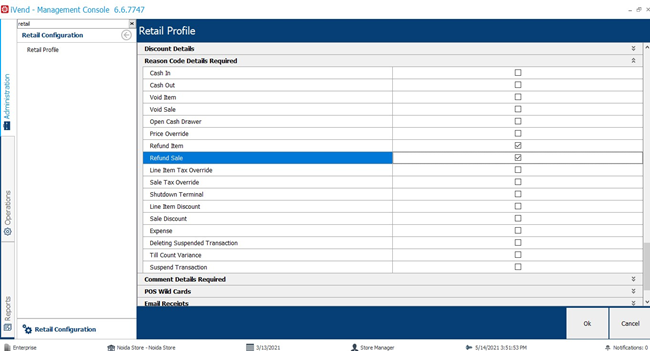
Go to iVend MC -->>Administration -->>Retail Profile -->>Reason Code Details Required -->> Enable Sale Refund and Sale item and click on ok.
Go to iVend POS select the Transaction mode as sale refund after that we have to click on the transaction search and select the one sale from the transaction records. You will get this window after clicking on the sale refund button.
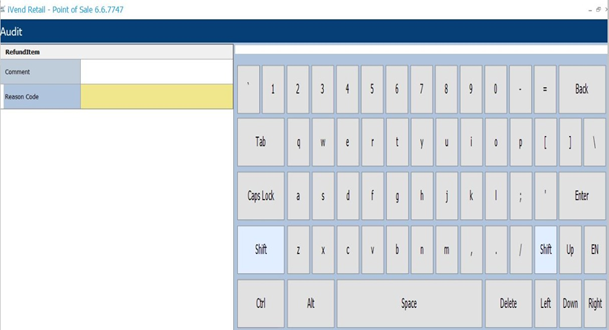
Here we can fill in the comment and reason code for the sale transaction as well as refund item.
Recommendations /Suggestion:
N/A